
Military Navigation2.0 - Google Play
You'll be able to see results in few seconds.
Publisher Description
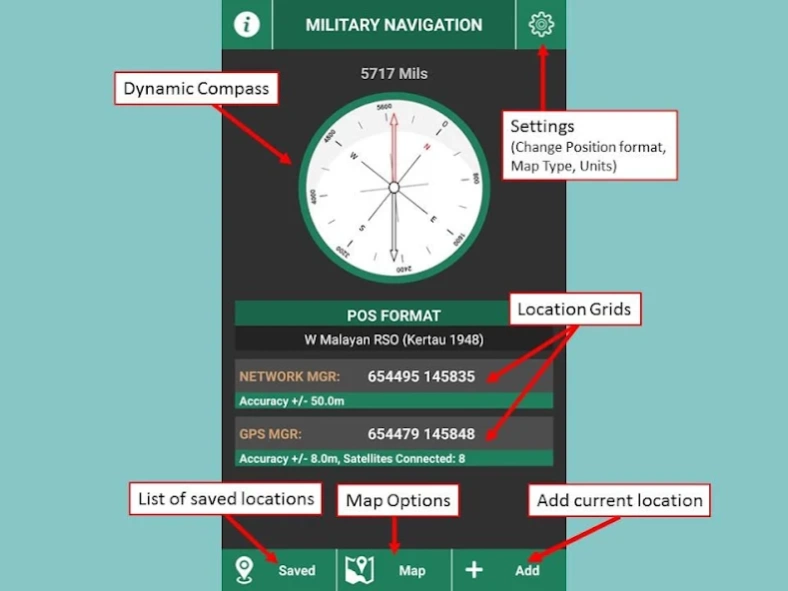

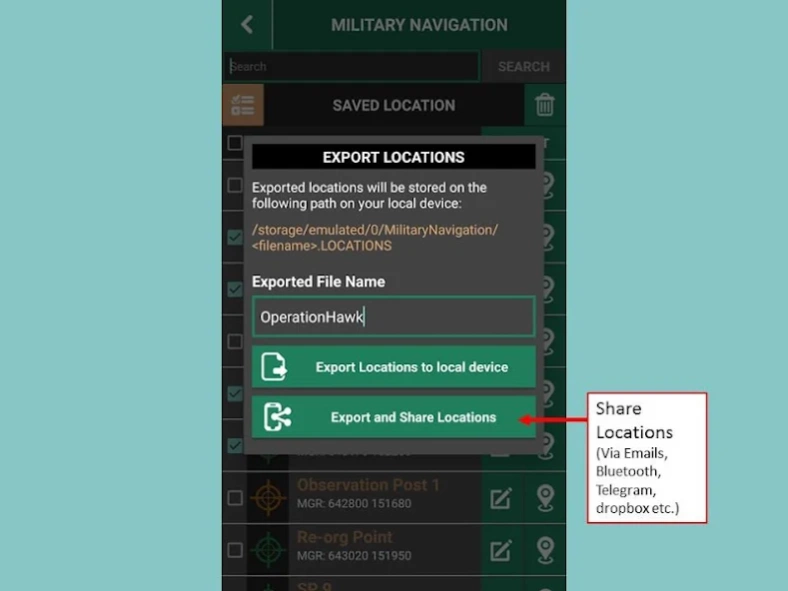
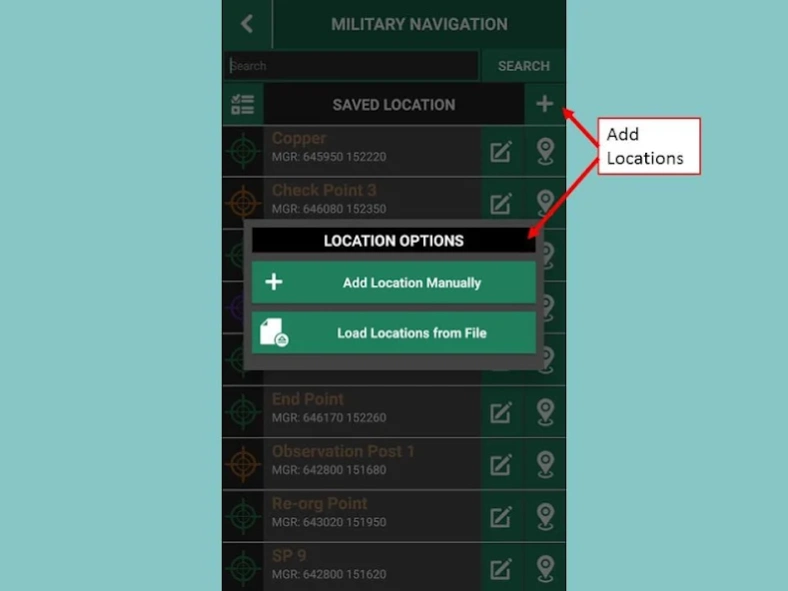
User friendly Navigation tool designed for Military Personnel
• Position Formats include Latitude/Longitude, UTM (WGS84), UPS, Malayan RSO and many more.
• Compass Function (Available in Degrees or Mils).
• Save Current Location/ View location on Map
• Color coded location markers for easier identification
• Make changes to saved locations
• Location sharing options (Export selected Locations, Share exported locations via Email, Bluetooth, Telegram etc., Import exported locations)
• Grid Conversion (E.g. Lat/Long to UTM)
• “Search Grid” option
• Dynamic map to bearing orientation
• Display Direction and Distance between 2 locations
• Navigation function (Current location to destination)
• ***IT’S 100% FREE, NO ADS***
About Military Navigation
The company that develops Military Navigation is Lee Wei Min. The latest version released by its developer is 2.0.
To install Military Navigation on your Android device, just click the green Continue To App button above to start the installation process. The app is listed on our website since 2017-10-22 and was downloaded 0 times. We have already checked if the download link is safe, however for your own protection we recommend that you scan the downloaded app with your antivirus. Your antivirus may detect the Military Navigation as malware if the download link to weiminlee95.militarynavigation is broken.
How to install Military Navigation on your Android device:
- Click on the Continue To App button on our website. This will redirect you to Google Play.
- Once the Military Navigation is shown in the Google Play listing of your Android device, you can start its download and installation. Tap on the Install button located below the search bar and to the right of the app icon.
- A pop-up window with the permissions required by Military Navigation will be shown. Click on Accept to continue the process.
- Military Navigation will be downloaded onto your device, displaying a progress. Once the download completes, the installation will start and you'll get a notification after the installation is finished.
Program Details
System requirements
Download information
Pricing
Version History
version 2.0
posted on 2017-10-22
Bug Fix. Email to weiminlee95@gmail.com for feedbacks!
Disclaimer
Official Google Play Link
We do not host the Military Navigation app on our servers. We did not scan it for viruses, adware, spyware or other type of malware. This app is hosted by Google and passed their terms and conditions to be listed there. We recommend caution when installing it.
The Google Play link for Military Navigation is provided to you by apps112.com without any warranties, representations or guarantees of any kind, so access it at your own risk.
If you have questions regarding this particular app contact the app developer directly. For questions about the functionalities of the apps112.com website, contact us.
